
Paying an invoice by card or bank transfer
You can pay any invoice we send you by card or by bank transfer. Card is quickest: the invoice is marked paid the moment the payment goes through, and the receipt arrives by email a minute later.
Before you start
To pay from inside HousingSurvey Pro you need Edit access to Billing (org admins, owners and the Finance role have it). If you don’t, you can still pay with the Pay invoice online button in the invoice email, which needs no sign-in.
Pay by card
- Go to Settings → Billing. Under Invoices & terms, select Pay next to the invoice.
- Check the amount, due date and PO, then select Pay £… by card.
- You’re taken to Stripe’s secure payment page. Enter the card details and confirm. Your bank may ask you to approve the payment in its app.
- You’ll see Payment received. Select Back to Billing and the invoice now shows Paid.
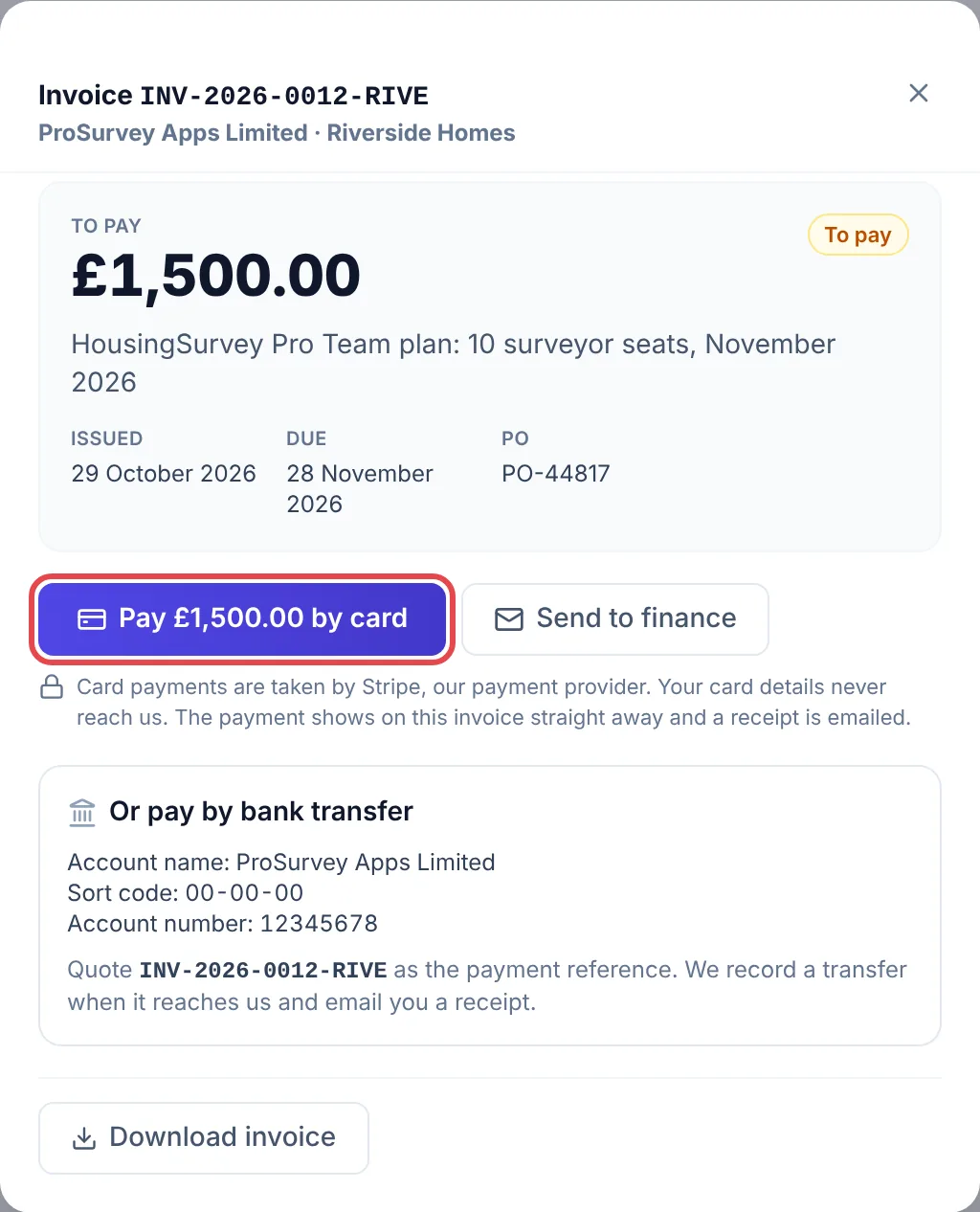
Stripe takes the payment, so your card details never reach us. All we see is that the invoice has been paid.
Paying from the email
Every invoice email has a Pay invoice online button. It opens a page on our website showing the invoice, with the same card and bank transfer options. Nobody needs an account or a password to use it, which is handy if the person with the company card doesn’t use HousingSurvey Pro.
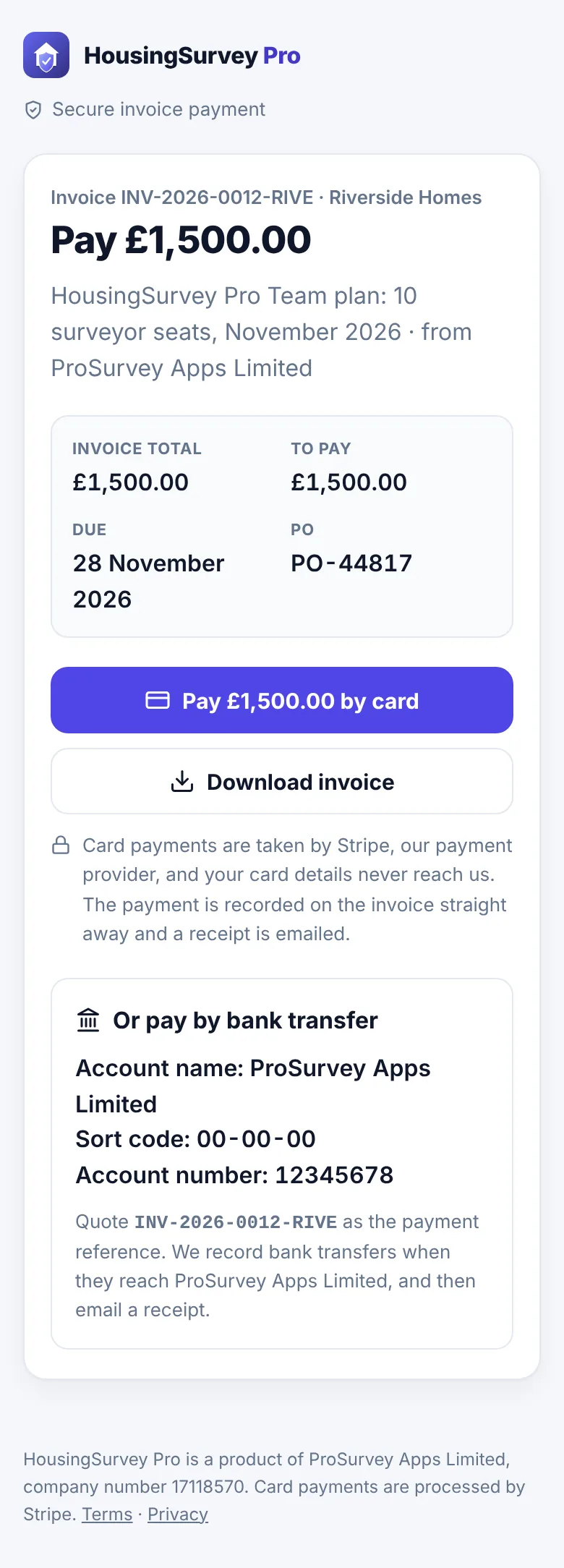
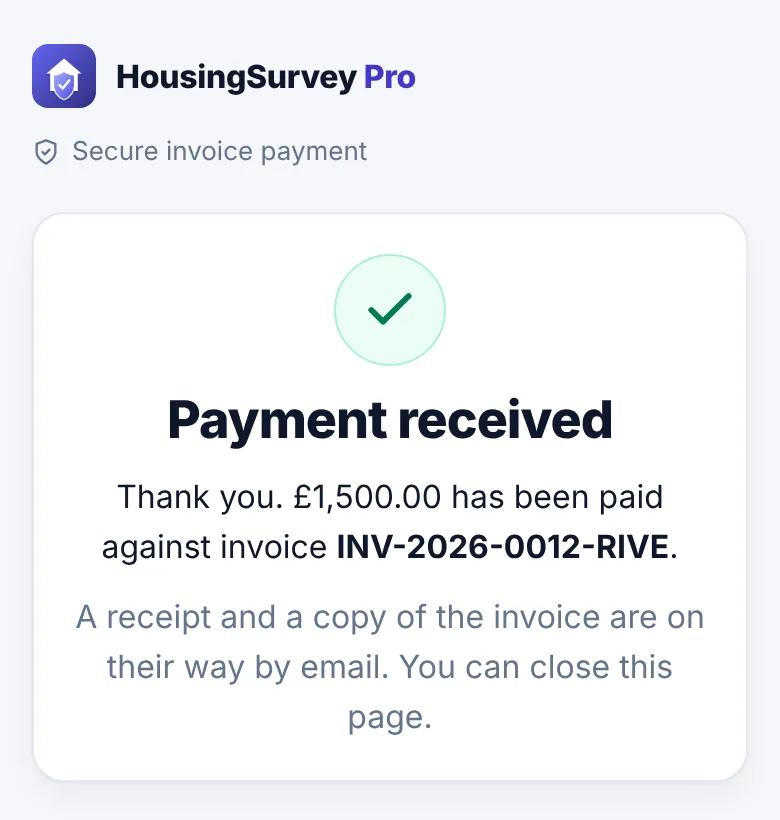
The link in the email is private to that invoice and works for 180 days. Treat it like the invoice itself: anyone you forward it to can see the invoice and pay it, but they can’t see anything else in your account.
Pay by bank transfer
The bank details are on the invoice, in the email and on the invoice screen. Please:
- quote the invoice number (for example
INV-2026-0012-RIVE) as the payment reference, so we can match it; - pay the full amount shown under To pay. If a credit note has reduced it, that figure already allows for it.
We mark a transfer as paid when it reaches our account, usually within a working day or two of you sending it, and then email the receipt.
After you’ve paid
The invoice shows Paid with the date and how it was paid. Open it to download the receipt. See Receipts and credit notes for what you get and who it’s sent to.
Common problems
- The payment page says the link has expired. Links last 180 days. Open the invoice under Settings → Billing and pay from there, or reply to the invoice email and we’ll send a fresh one.
- I closed the window during payment. Nothing is lost. If the card was charged, the invoice will already show Paid and the receipt is on its way. If it wasn’t, the invoice is still To pay and you can try again.
- The page says my bank is still confirming the payment. Some banks take a moment to approve. Don’t pay again: the invoice is marked paid as soon as the bank confirms, and you’ll get the receipt then.
- My card was declined. Stripe shows the bank’s reason. Try another card, or pay by bank transfer.
- We paid by transfer but it still says To pay. We record transfers when they arrive. If it’s been more than three working days, reply to the invoice email with the date and amount you sent.
Related