
Receipts and credit notes
Every payment gets a receipt and every change to an invoice gets a credit note. You’ll find both on the invoice itself, under Settings → Billing, as well as in your inbox.
Receipts
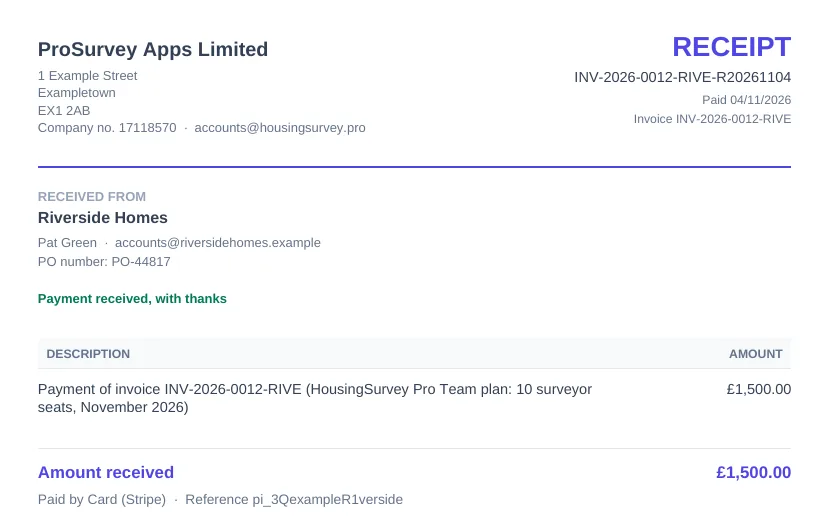
When an invoice is paid, by card or by bank transfer, we email a receipt to your billing contact and to anyone the invoice was sent to for payment. The receipt and a copy of the invoice are attached as PDFs.
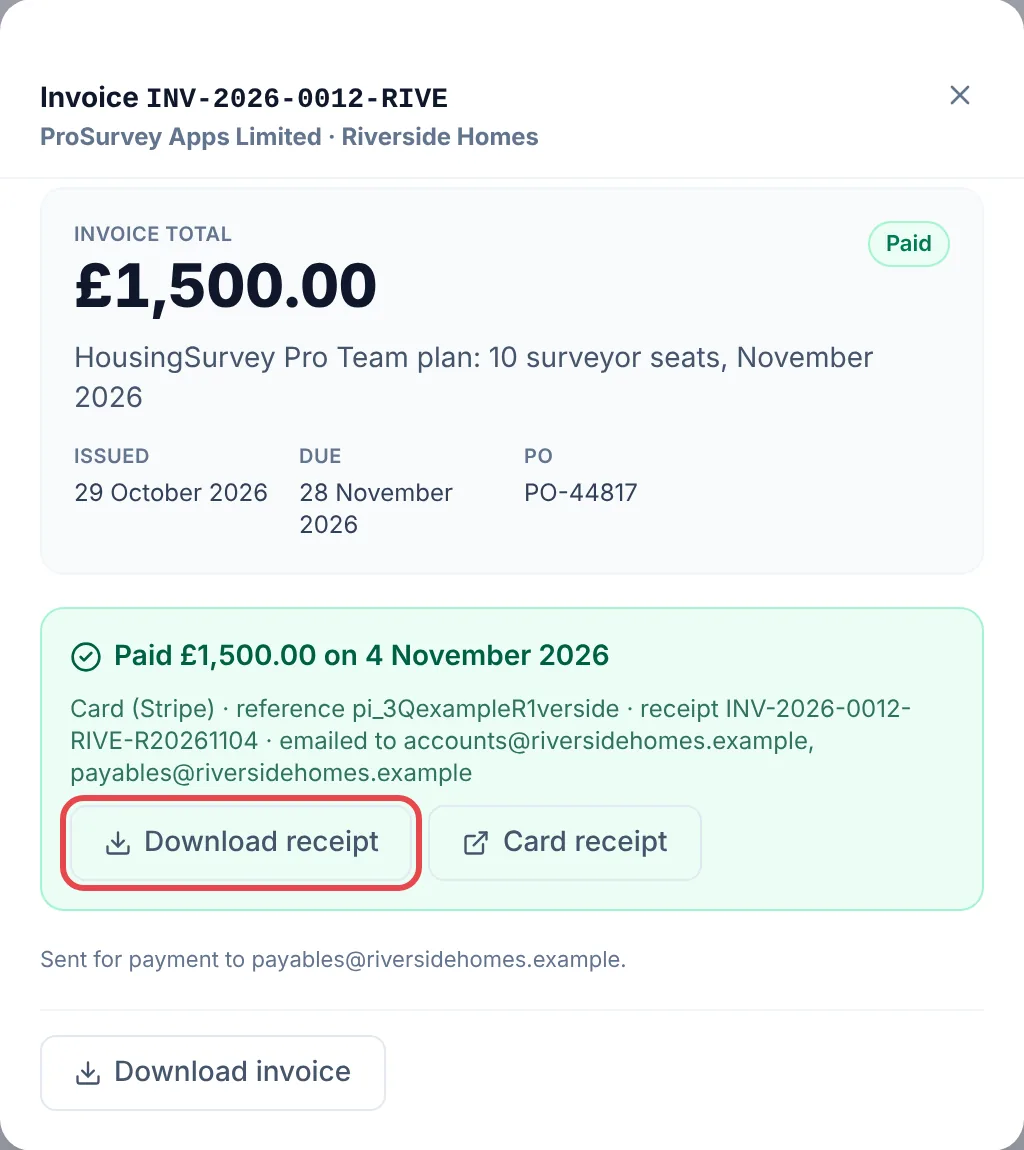
The receipt number is the invoice number followed by the date it was paid, so INV-2026-0012-RIVE-R20261104 is the receipt for invoice INV-2026-0012-RIVE, paid on 4 November 2026. It shows the amount, the date and how it was paid.
To get it again, open the paid invoice and select Download receipt. For card payments there’s also a Card receipt link to the receipt Stripe issued for the card transaction, which some finance systems ask for.
Credit notes
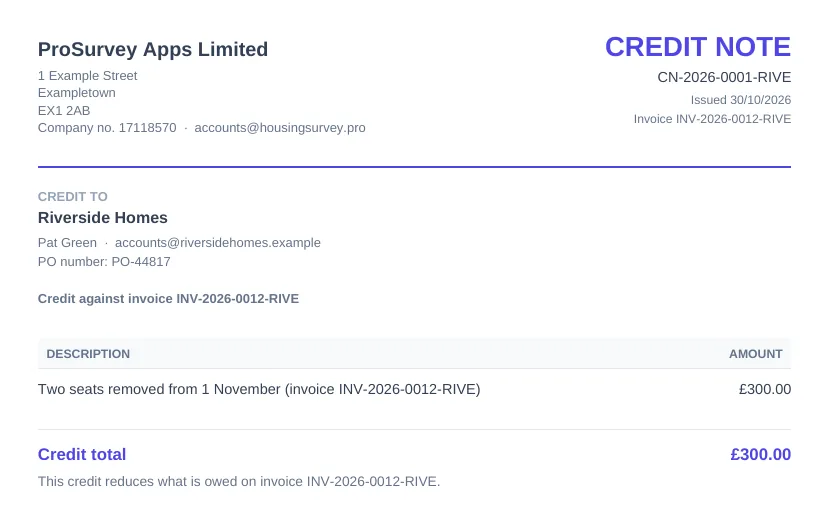
If we need to reduce an invoice, we don’t edit it. We issue a credit note against it, so the original invoice stays exactly as you received it and your accounts still reconcile. A typical reason would be seats removed part-way through a month.
A credit note has its own number (for example CN-2026-0001-RIVE), the invoice it relates to, the amount and the reason. We email it, with a copy of the invoice, to your billing contact and anyone the invoice was sent to for payment.
What happens next depends on whether you’d already paid:
- Not paid yet. The amount to pay goes down by the credit. The invoice shows what was invoiced, what was credited and what’s left, and the card button and payment page ask only for the new figure.
- Credited in full. The invoice shows Credited and there’s nothing to pay.
- Already paid. The credit is money we owe you. We refund it to the card you paid with, or by bank transfer if you paid that way. Card refunds usually reach the account within five to ten working days, depending on your bank.
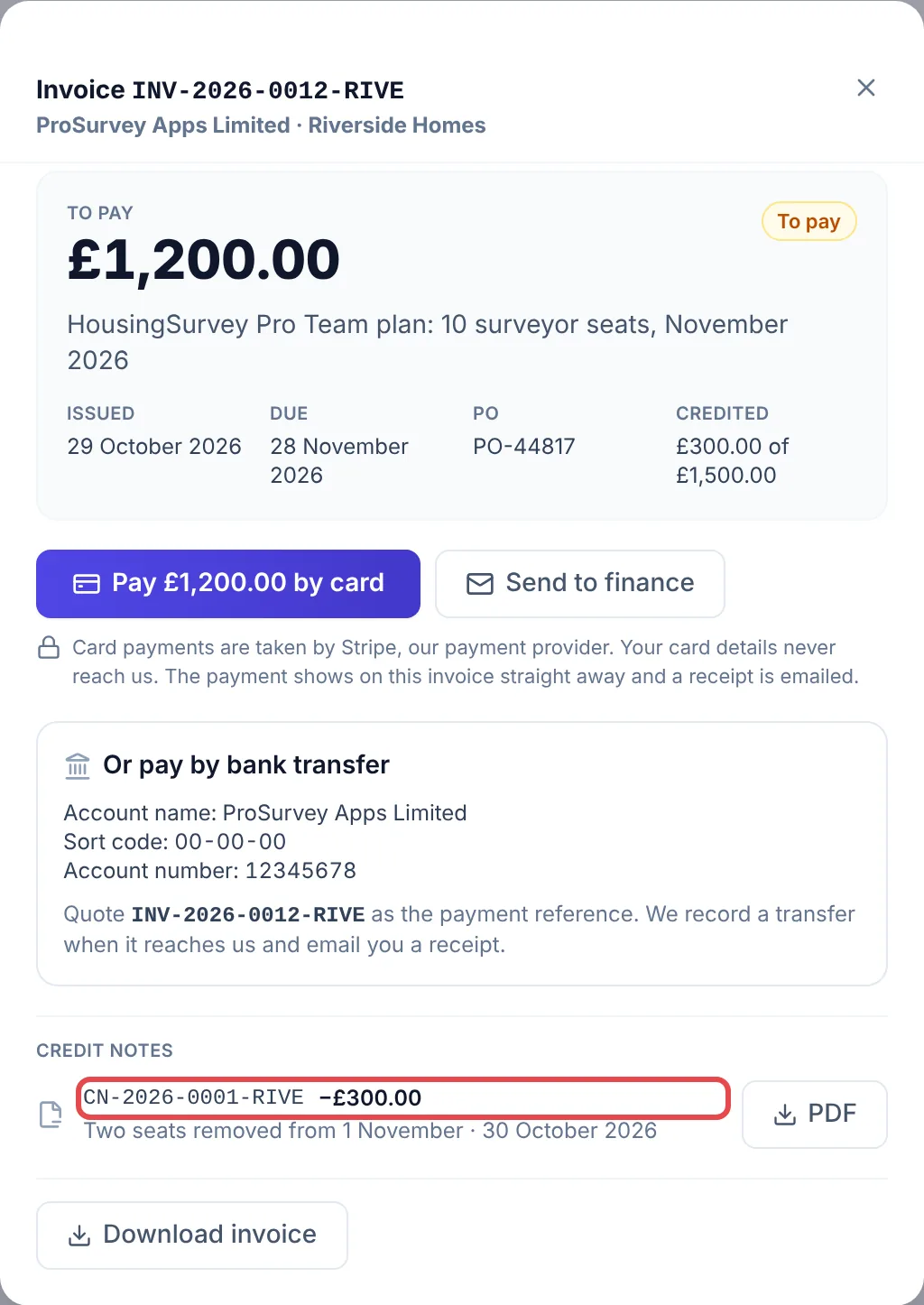
Every credit note on an invoice is listed on it, each with its own download button.
Common problems
- The receipt went to the wrong person. Receipts go to your billing contact and anyone the invoice was sent to for payment. Reply to any invoice email to change your billing contact.
- I need a receipt for an older invoice. Open it under Settings → Billing and select Download receipt. If a paid invoice has no receipt button, reply to that invoice’s email and we’ll send one.
- We think we’re owed a credit. Reply to the invoice email and tell us why. We’ll either issue a credit note or explain the charge.
Related