
Sending an invoice to your finance team
Who can do thisPermission: billing ≥ 2
In a lot of housing organisations the person who looks after HousingSurvey Pro isn’t the person who pays the bills. Send to finance gets the invoice to the right desk without anyone forwarding emails or downloading PDFs.
What they get
We email them a copy of the invoice as a PDF, a Pay invoice online button and our bank details. If you add a note, it appears at the top in its own box, so they know what it’s for and who asked.
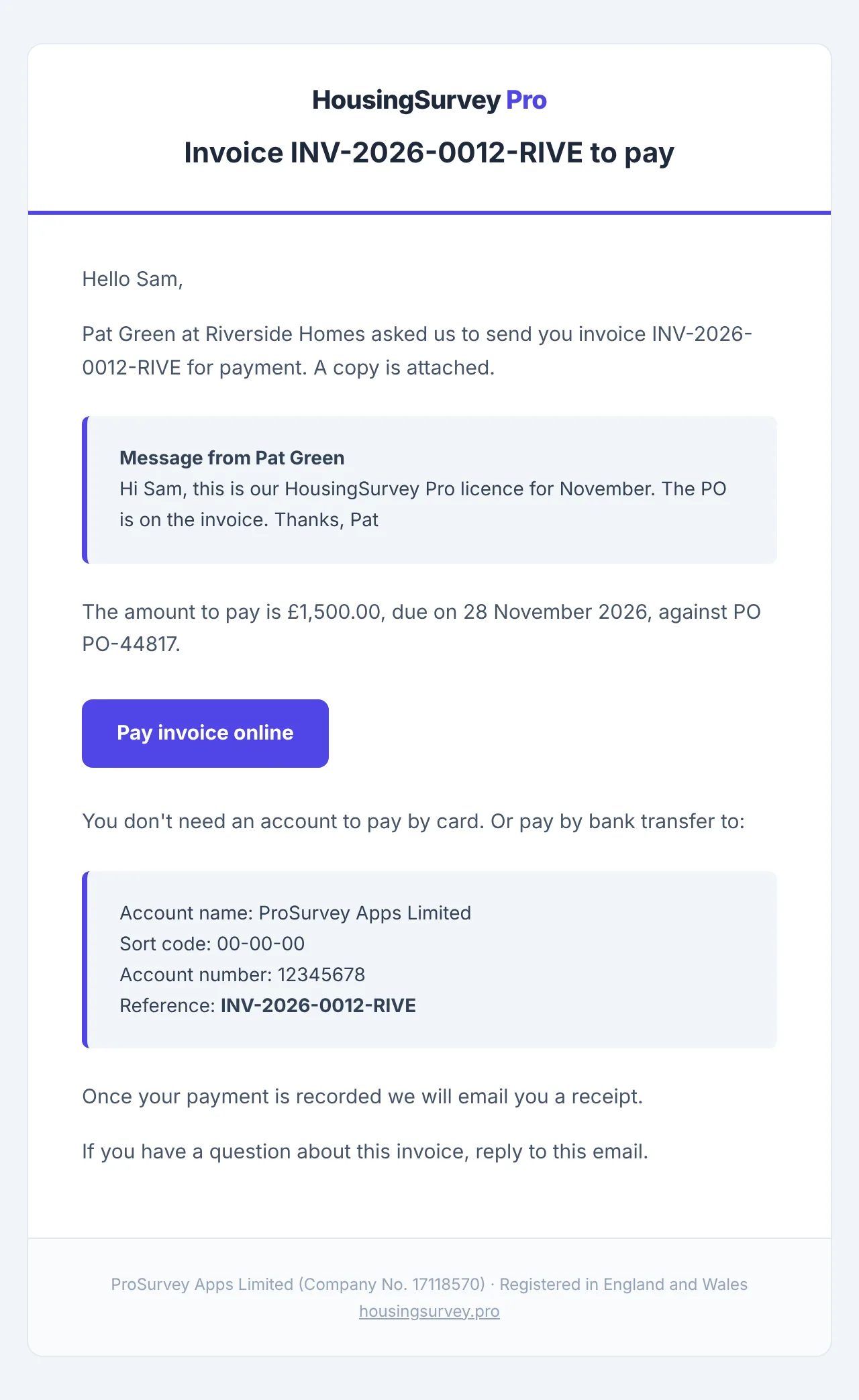
They can pay by card from the button without signing in to anything, or by bank transfer. When the invoice is paid, the receipt goes to them and to your billing contact, so nobody has to chase anyone for proof of payment.
How to do it
- Go to Settings → Billing and open the invoice under Invoices & terms.
- Select Send to finance.
- Enter their email address, and their name if you like.
- Add a note if it helps, for example the budget code or “this is the renewal we agreed in September”.
- Tick This person may receive this invoice and pay it for us, then select Send invoice.
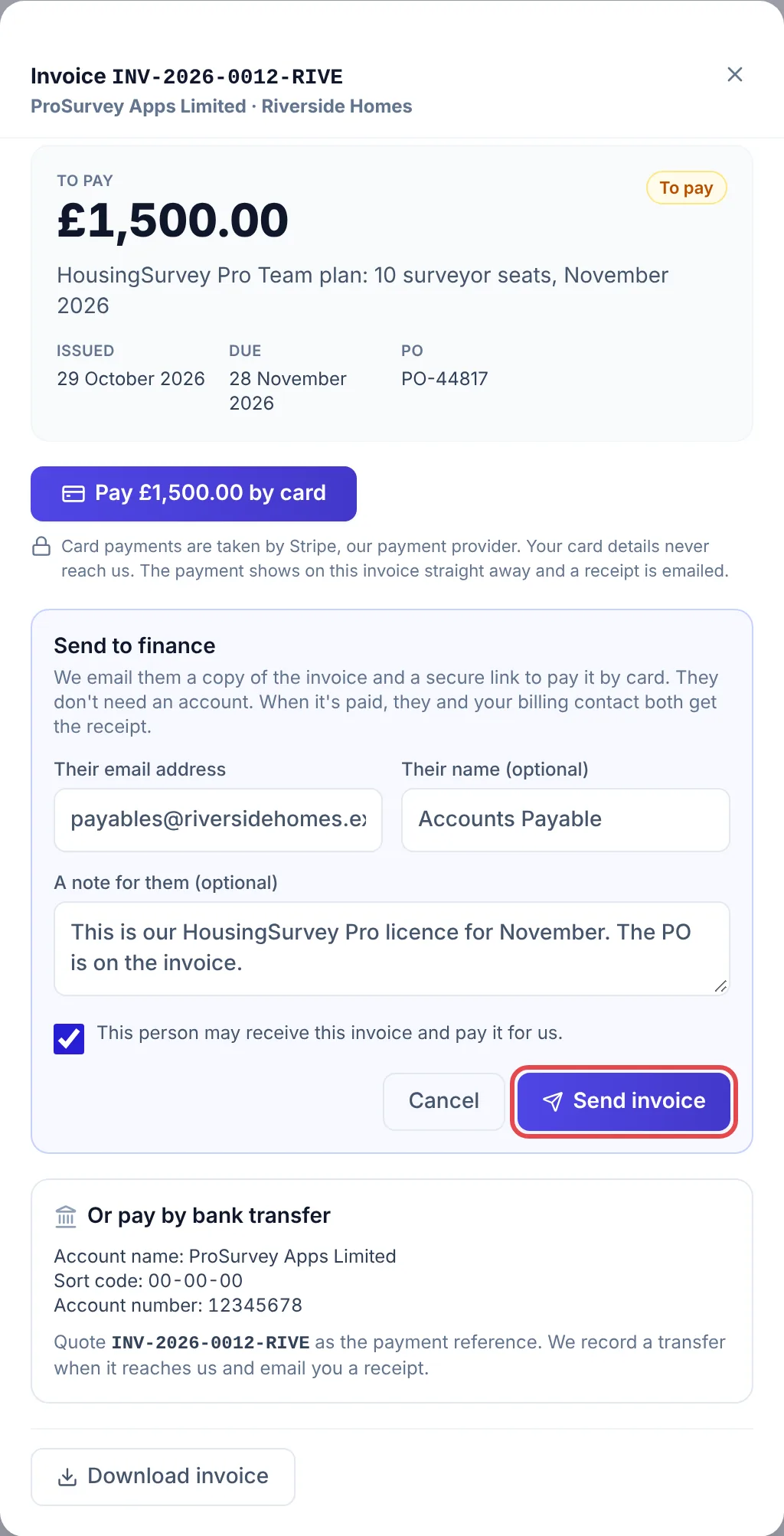
The invoice then says who it was sent to, so anyone else looking at Billing can see it’s in hand.
Good to know
- The tick box is there because the email contains the invoice and a link that can pay it. Only send it to someone who’s allowed to see your invoices.
- You can send the same invoice to more than one person, one at a time. We remember the last three.
- The link in their email works for 180 days and only opens that one invoice. It doesn’t give access to anything else in your account.
- If your finance team would rather have every invoice sent to them directly, reply to any invoice email and we’ll make them your billing contact.
Common problems
- The Send to finance button isn’t there. You need Edit access to Billing, and the invoice must still have something to pay.
- They say the email hasn’t arrived. Ask them to check junk or quarantine. It comes from HousingSurvey Pro with the invoice number in the subject. If your organisation filters external mail, the IT team may need to release it.
- They paid by transfer and nothing has changed yet. Transfers are recorded when they reach us. The receipt follows straight after.
Related