
Guided tours
The guided tours take you round the real screens of the capture app and show you what to tap. Both run on a made-up practice survey, so you can try everything without touching a real job.
What it is
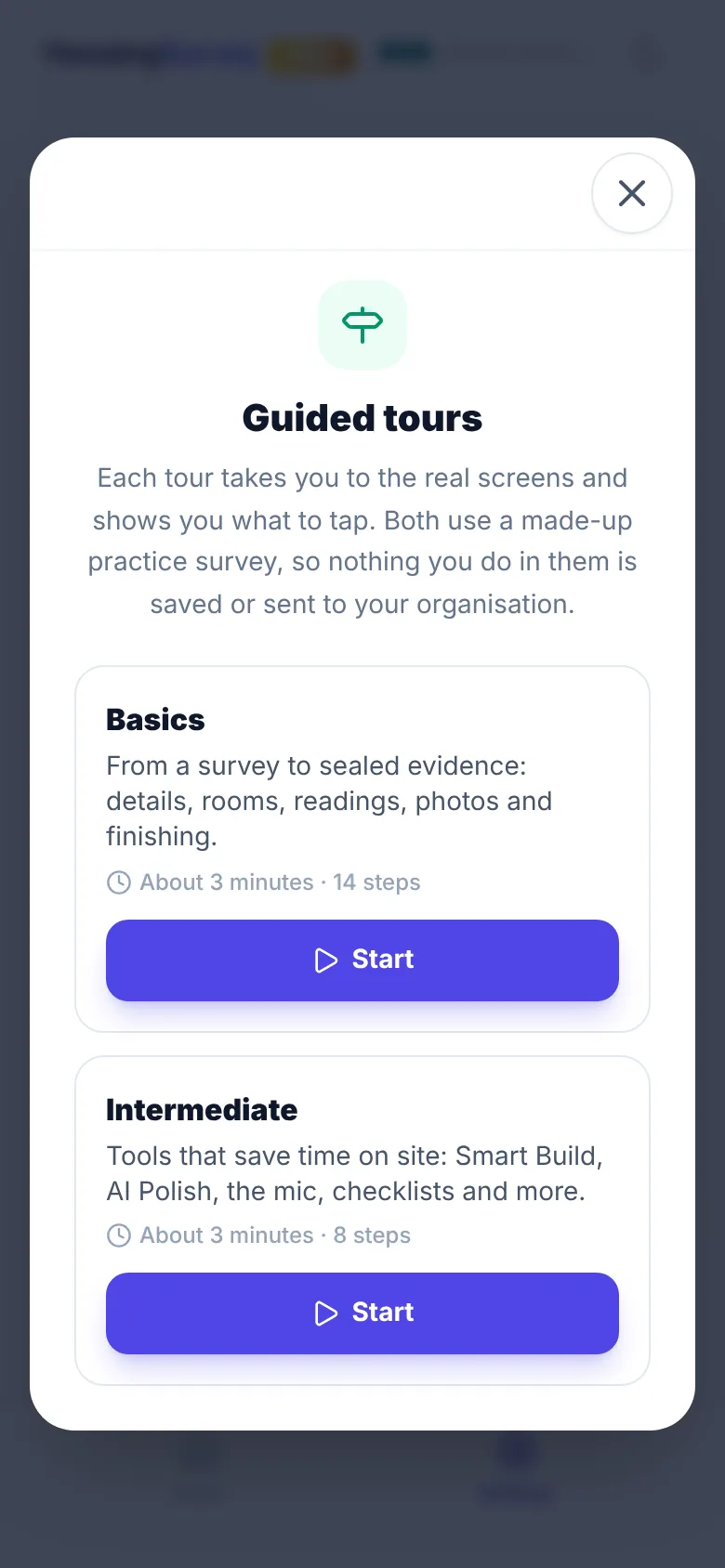
There are two tours, each about three minutes long:
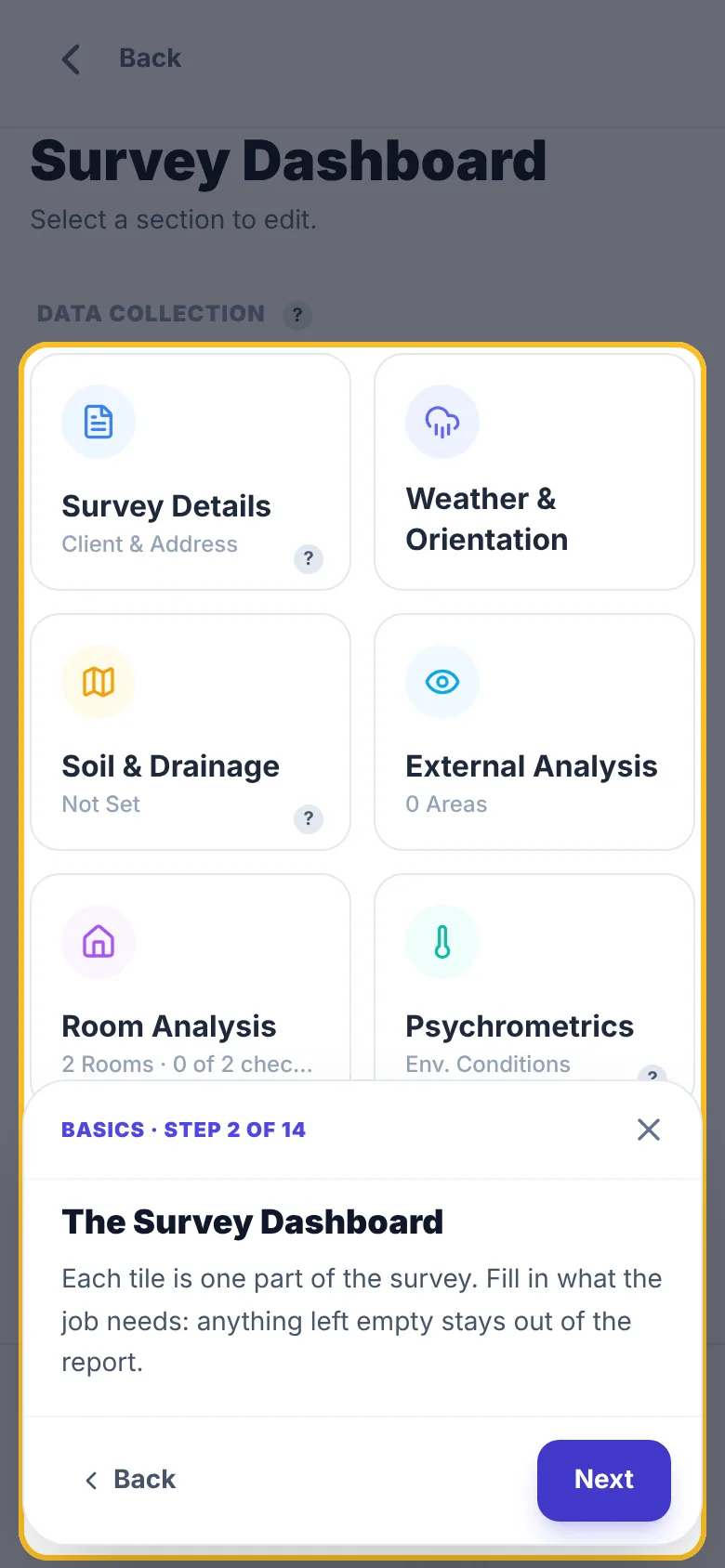
- Basics (14 steps) goes from a survey to sealed evidence: the Survey Dashboard, Survey Details, Room Analysis, a room’s photos, readings and observations, the Report Narrative, Save and Generate Report.
- Intermediate (8 steps) covers the tools that save time on site: Smart Build, AI Polish, the mic, the area checklist, Hazard Triage, Weather & Orientation and External Analysis.
The practice survey is at 12 Sample Street, Exampletown, with a made-up resident and two rooms. Nothing you do in it is saved, synced, uploaded or sealed, and nothing reaches your organisation or the portal. It disappears when the tour ends. On-site checks, such as your GPS fix and the job briefing, are left out of the practice survey.
Steps that point at a tool your organisation has switched off, such as AI Polish or area checklists, are skipped.
How to do it
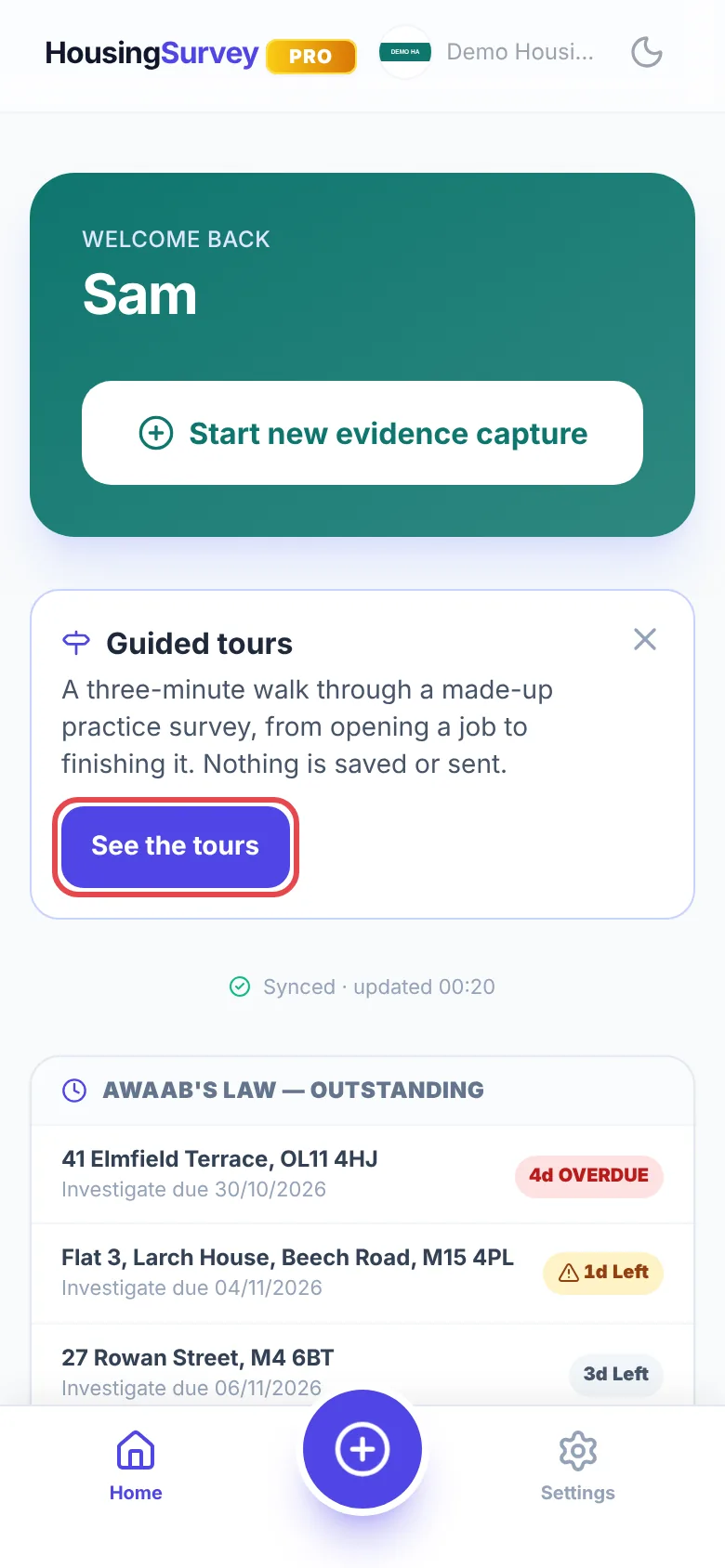
- On Home, tap See the tours on the Guided tours card. The card shows once; close it with the X if you don’t need it. You can also open the tours at any time from Settings, under Reference, Guided tours.
- Pick Basics or Intermediate and tap Start.
- Each step highlights one control and says what it does. Tap Next to carry on, or Back to go back a step. Where a step asks you to tap the highlighted control, tap it, or tap Show me and the tour does it for you.
- Close a tour at any time with the X. At the end of Basics, you can go straight on to Intermediate.
How it integrates
The tours use the same screens and controls as a real survey, so what you learn carries straight over to your jobs. The practice survey runs in a mode where saving, photo uploads, sealing and every server call are turned off, so nothing appears in your Recent records, the portal or any report. Your organisation’s settings still apply in the tour, so a tool your organisation has switched off is left out of it too.
Common problems
- I closed the Guided tours card on Home. Open the tours from Settings → Guided tours instead.
- A step was skipped. It points at a tool your organisation has switched off, so there’s nothing to show.
- I can’t find the practice survey in Recent records. That’s expected: it’s never saved, and it goes when the tour ends.
Related